Best App Blocker for iPhone in 2026: Screen Time, Opal, one sec, Jomo and LockTy Compared
 Gabriel SánchezPublished
The best app blocker for iPhone depends on how often you tap "Ignore Limit". If almost never, Apple's free Screen Time is enough. If you skip limits as soon as they appear, you need a blocker that adds real friction, and the paid options differ mostly in how they add it: by schedule, by place, with a pause before opening, or with a physical device.
Start with Screen Time
Screen Time is built into iOS. You can set daily limits per app or category, a Downtime schedule when only allowed apps work, and a list of apps that are always allowed (Apple Support).
The problem is the button that appears when you hit a limit. "Ignore Limit" gives you 15 more minutes or the rest of the day in one or two taps. It is designed for parents who hold a passcode, not for adults blocking themselves. If you've ever cleared a limit without thinking, that is why.
Blocker apps exist to fill that gap. On iPhone, they use Apple's Screen Time API, so they need your permission but they manage the limits for you.
Why friction works
People don't open Instagram 80 times a day because they decided to 80 times. It is a habit triggered by boredom, a notification or simply unlocking the phone. A blocker works by putting a step between the urge and the app.
Two studies show this. In a six-week field study of the one sec app, a short delay and a question before opening a chosen app reduced how often people opened it over time (Grüning et al., 2023). And in a large experiment with real phones, giving people a tool to set limits on their own use reduced their screen time on the targeted apps, which the authors read as a sign that many people want to use their phone less than they do (Allcott et al., 2022).
The main options compared
Prices are from the US App Store on 18 October 2026. Ratings are the number of US reviews on the same day.
App | How it blocks | Annual price | Other plans | US ratings |
|---|---|---|---|---|
Screen Time (Apple) | Daily limits and Downtime schedule | Free | None | Built into iOS |
Opal | Schedules and focus sessions, strict modes | $99.99 | Monthly $19.99, weekly $9.99 | ~90,000 |
one sec | A pause and a question before the app opens | $29.99 | Monthly $9.99, lifetime $149 | ~23,700 |
Jomo | Schedules and limits with a points system | $29.99 | Monthly $5.99, lifetime $99.99 | small in the US |
AppBlock | Schedules, limits and website blocking | $29.99 | Monthly $14.99 | ~6,800 |
ClearSpace | Pause before opening, limits | $44.99 | Monthly $6.99 | ~8,900 |
BePresent | Limits with rewards and friends | $59.99 | Monthly $14.99 | ~68,000 |
LockTy | Schedules and locks tied to places (gym, library) | $24.99 | Weekly $2.49 or monthly $9.99 | New |
Some notes on how to read this:
- The pause apps (one sec, ClearSpace) don't stop you, they slow you down. They suit people who open apps on autopilot and stop once they notice.
- The schedule apps (Opal, AppBlock, Jomo) are closest to Screen Time with the skip button removed or made harder.
- Location-based locks suit people whose problem happens in specific places, like scrolling between sets at the gym or at a library desk.
Which one to choose
Ask yourself where and when the scrolling happens.
- "I check it all day, without thinking." Try a pause app first. It's the gentlest change.
- "Mornings and evenings are the problem." Use a schedule: no social apps before noon or after 10 p.m.
- "I lose an hour at the gym or the library." Lock the apps when you arrive at that place.
- "I'll find a way around anything." Pick a blocker with a strict mode, or give someone else your Screen Time passcode.
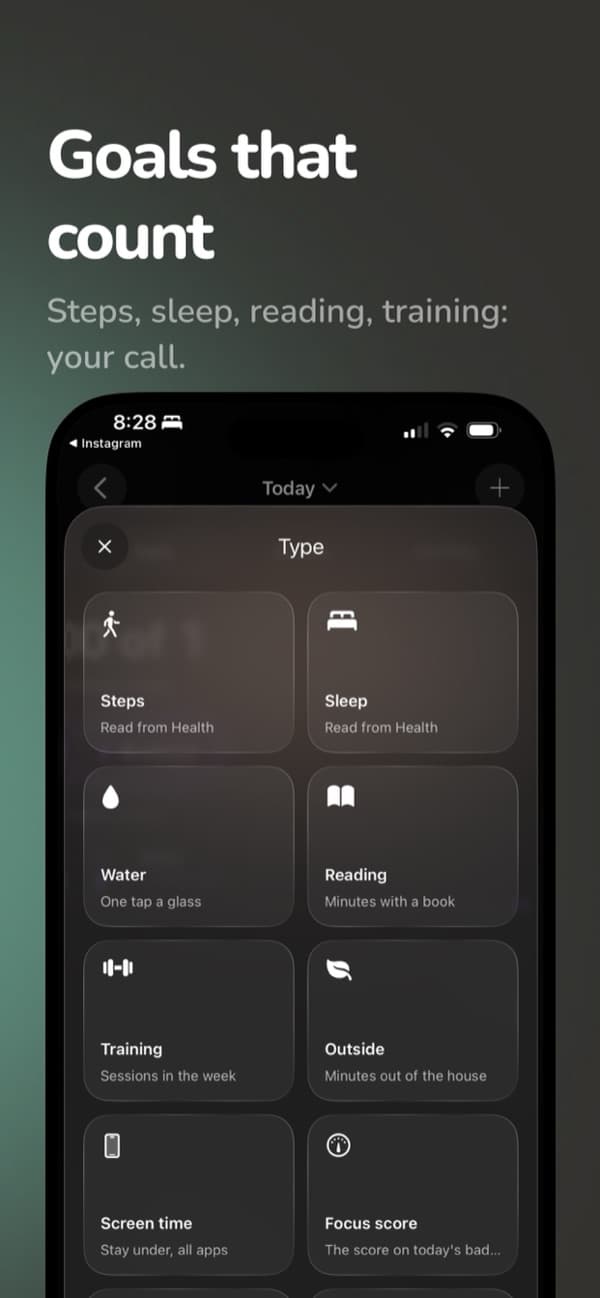
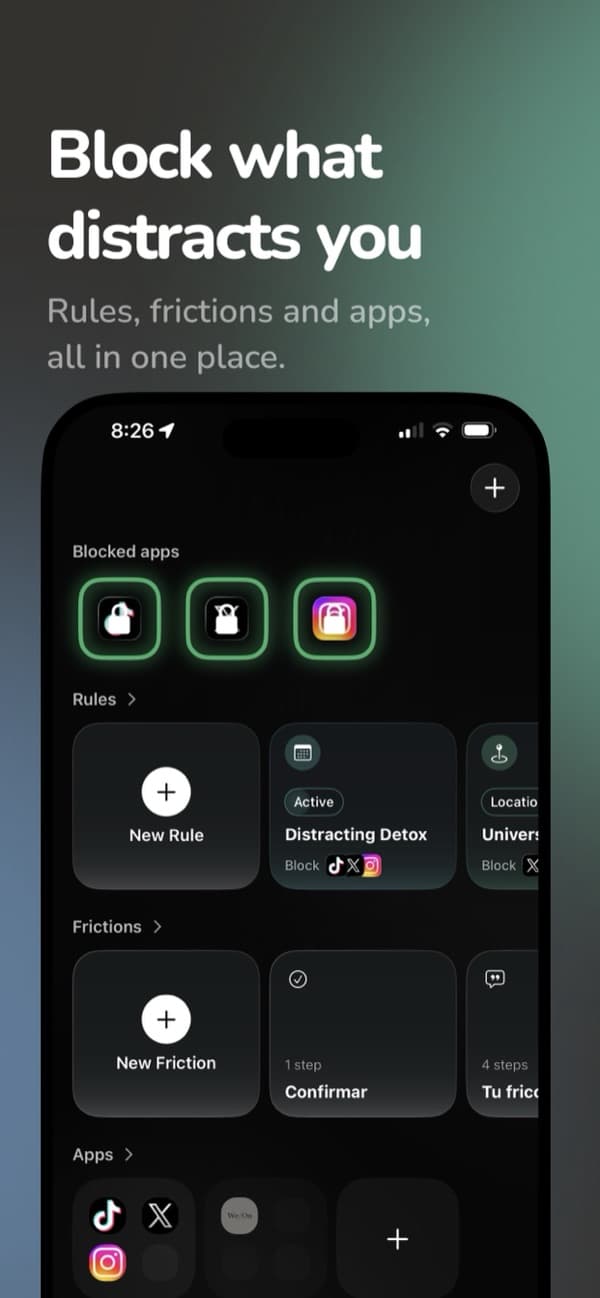
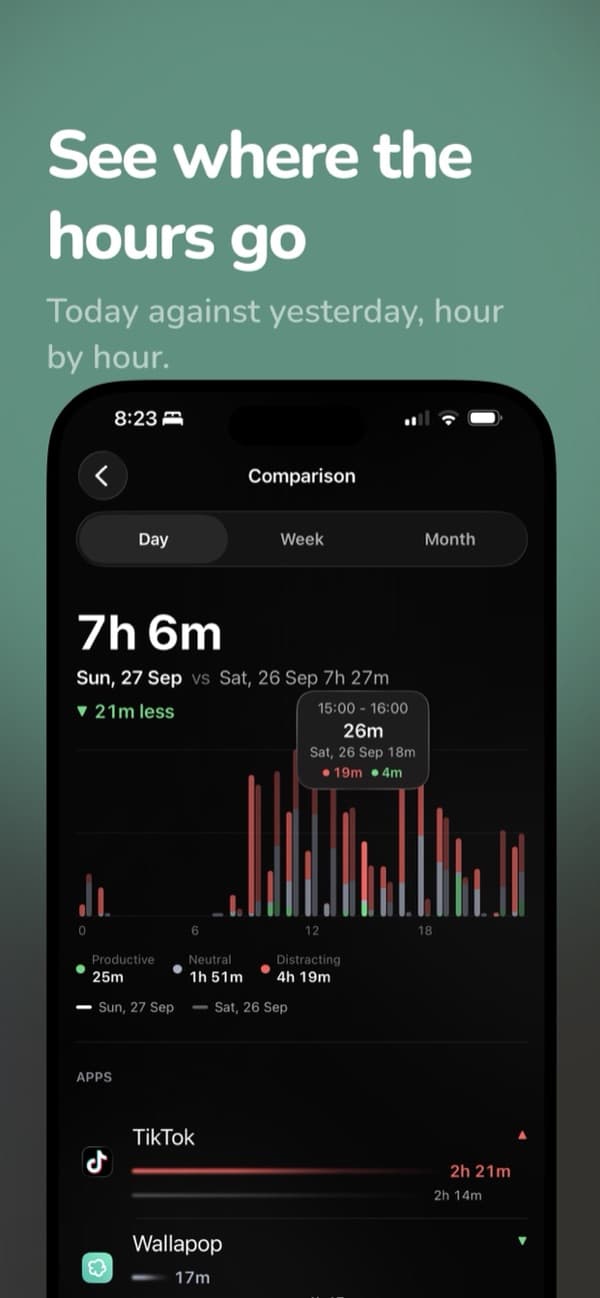

Lock apps where you lose time
LockTy locks the apps you choose by schedule or when you arrive at the gym, the library or anywhere you set. If you really need one, you can ask for a short break instead of turning everything off.
Tips that work with any blocker
- Block a few apps, not everything. Two or three apps usually cover most of the wasted time.
- Keep the phone out of the bedroom. No blocker beats a phone that isn't there.
- Turn off most notifications. Fewer triggers means fewer urges to unlock.
- Review after two weeks. Check Screen Time and adjust the rules that you keep breaking.
The best blocker is the one you won't switch off, so start with rules that fit how you actually use your phone.
Frequently asked questions
What is the best free app blocker for iPhone?
Apple's built-in Screen Time. It can set daily limits per app and a Downtime schedule at no cost. Its weak spot is the Ignore Limit button, which lets you skip a limit in one tap unless someone else sets a Screen Time passcode.
Do app blockers actually work?
They work by adding friction before you open an app. In a six-week field study of the one sec app, a short delay before opening targeted apps reduced how often people opened them. A blocker can't fix the reason you reach for the phone, but it does break the automatic tap.
Can I block apps on iPhone without Screen Time?
Third-party blockers on iPhone use Apple's Screen Time API under the hood, so you need to give them Screen Time permission. You don't have to set limits in the Settings app yourself; the blocker app manages them.
How much do app blockers cost?
In the US App Store in October 2026, annual plans ranged from $24.99 (LockTy) and $29.99 (one sec, AppBlock, Jomo) to $44.99 (ClearSpace), $59.99 (BePresent) and $99.99 (Opal). Most have a free tier or a free trial.
LockTy
Lock the apps that distract you and unlock them by meeting your daily goals: steps, sleep, reading or training.
Sources
- Grüning DJ, Riedel F, Lorenz-Spreen P (2023). Directing smartphone use through the self-nudge app one sec. Proceedings of the National Academy of Sciences 120(8):e2213114120.
- Allcott H, Gentzkow M, Song L (2022). Digital addiction. American Economic Review 112(7):2424–2463.
- Apple Support. Use Screen Time to manage your child's iPhone or iPad.

About the author
22, software developer and founder based in Madrid.
I'm Gabriel, I'm 22 and I live in Madrid. I write software, build my own products and I'm into maths, sport and fashion. Among other things I make three iPhone apps, Creatinely, LockTy and RepZet, and here I write about training, creatine and the small daily habits that add up. I also build apps and software for B2B clients as an independent developer. If you want to work together, write to me.
This is general information, not medical advice. Talk to a professional about your own situation.
Keep reading
How to Stop Procrastinating: 10 Steps That Work When Willpower Doesn't
To stop procrastinating, make the first step tiny, decide in advance when and where you'll start, and keep your phone out of reach while you work.
How to Stop Phone Addiction: 9 Changes That Beat Willpower
Use your phone less by changing your setup, not your willpower: fewer notifications, distracting apps locked at set times and the phone out of the bedroom.
What Is Monk Mode? A 30-Day Plan That Starts With Your Phone
Monk mode is a set period, often 30 to 90 days, to cut distractions and focus on one or two goals. Start with your phone and rules you decide in advance.
How to Set Daily Goals You Can Keep: 7 Steps and Examples
Set 3 to 5 daily goals you can measure, tie each to a time and place, and tick them off the same day. Here's how, with examples for steps, sleep and reading.